Key takeaways
- A good prompt has four parts: goal, context, format, and constraints.
- No single assistant wins everything. Match the tool to the task.
- Hallucinations are common, especially on names, numbers, and citations.
- Default privacy settings often retain your chats. Opt out or use enterprise tiers.
- Free tiers handle most everyday asks. Pay only when limits actually bite.
You type a question, hit enter, and get back something that sounds great but might be completely wrong. Or you spend twenty minutes wrestling with ChatGPT when the same task would have taken Claude two tries. Asking AI well isn't a vibe. It's a skill, and most people are doing it on autopilot.
This guide is tool-agnostic and built for how assistants actually work in 2026: GPT-5.5, Claude Opus 4.7, Gemini 3 Pro, and the rest. You'll get a four-part prompt frame, copy-paste templates, a side-by-side map of which assistant fits which job, and the privacy and hallucination guardrails nobody talks about until it's too late.
What 'Ask AI' Actually Means in 2026
"Ask AI" means typing a question in plain language into a large language model and getting a written answer back instead of ten blue links. That's the whole shift. You ask, it answers.
Asking AI vs. searching the web
A search engine ranks pages and hands you a list. You do the reading. An AI assistant reads for you and writes a synthesized reply, sometimes with citations, sometimes without. The difference matters. Search shows you where information lives. AI tells you what it thinks that information says. Faster, yes. Also where hallucinations sneak in.
The assistants people mean by "ask AI"
When someone says "I asked AI," they usually mean one of five:
- ChatGPT (GPT-5 and GPT-5.5): the default for most people. Strong at writing and reasoning.
- Claude (Sonnet 4.6, Opus 4.7): favored for long documents, nuanced writing, careful analysis.
- Gemini (3 Pro, 3.1 Pro): wired into Google Workspace, great with images and live data.
- Microsoft Copilot: the one baked into Word, Excel, Outlook, and Windows.
- Perplexity: an answer engine that cites sources by default.
The rest of this guide is a practical playbook. How to phrase the question. Which assistant fits which job. What to never ask AI to do. How to catch wrong answers before they bite you. And what actually happens to your data after you hit send.
The 4-Part Prompt Framework: Goal, Context, Format, Constraints
Most bad AI answers come from bad prompts. Fix the prompt, fix the output. The framework has four parts: Goal, Context, Format, Constraints.
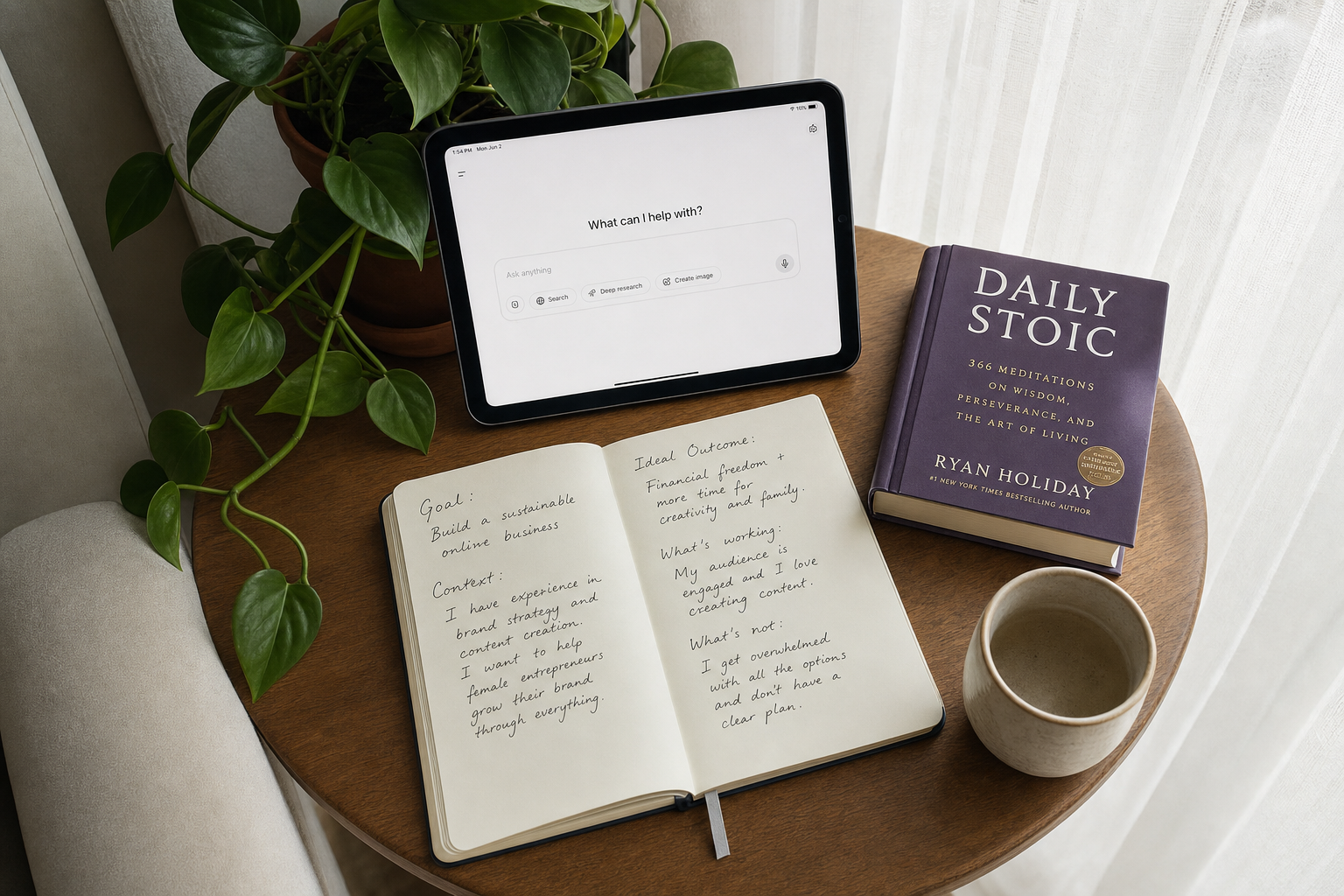
Goal is the deliverable. Not "help me with my email," but "write a 90-word reply declining the meeting." Context is the situation: who you are, who's reading, what the model can't guess. Format is the shape: bullets, a table, JSON, three short paragraphs, markdown headings. Constraints are the guardrails: tone, reading level, word count, things to avoid.
Before and after
Before: "Write something about remote work."
After: "Goal: write a LinkedIn post arguing remote work boosts retention. Context: I'm an HR director at a 200-person SaaS company writing to other HR leaders. Format: 180 words, three short paragraphs, one stat, no hashtags. Constraints: conversational tone, eighth-grade reading level, no clichés like 'in today's world,' end with a question."
Same topic. Wildly different answer.
Three upgrades that punch above their weight
- Assign a role: "Act as a skeptical hiring manager reviewing this resume." The model shifts vocabulary and priorities.
- Few-shot: paste 2 to 3 examples of the output you want. The model pattern-matches faster than any instruction you can write.
- Step by step: for math, logic, or multi-part decisions, add "think through this step by step before answering." Accuracy climbs on reasoning tasks (see Google's original chain-of-thought paper, Wei et al., 2022).
Where to Ask: ChatGPT, Claude, Gemini, Copilot, and Perplexity Compared
Pick the wrong assistant and you'll fight it all week. Pick the right one and the work almost does itself.
Best-for matrix
- ChatGPT (OpenAI): Best all-rounder. GPT-5.5 is the default flagship on Plus and above as of April 2026. Plus is $20/month. Free runs GPT-5.3 with tighter message and image caps. Multimodal (voice, vision, image gen). Light citations.
- Claude (Anthropic): Best for long-form writing, careful analysis, and following multi-step instructions. Sonnet 4.6 is your daily driver. Opus 4.7 for the hardest reasoning. Pro runs about $20/month. Multimodal for text and images. No native web citations in the consumer app.
- Gemini (Google): Best if you live in Workspace. Gemini 3 Pro is free with usage caps; Gemini Advanced is about $19.99/month via Google One AI Premium. Up to 2M-token context in AI Studio. Cites web sources inline.
- Microsoft Copilot: Best when your source material already lives in Word, Excel, or Outlook. Free on the web, Copilot Pro is $20/month. Multimodal, with Bing-backed citations.
- Perplexity: Best when you need sources, not vibes. Pro is $20/month or $200/year (per Perplexity's pricing page). Every answer ships with citations.
Free tiers vs. paid
Honest take: you don't need five subscriptions. Pay for one (usually ChatGPT Plus or Claude Pro). Use Perplexity's free tier when you need citations, and Gemini's free tier inside Gmail and Docs. That's the whole stack.
7 Copy-Paste Prompt Templates for the Most Common Asks
Steal these. Tweak the bracketed bits, paste into your assistant, and you'll skip most of the back-and-forth.
Explain
Explain [topic] to me as if I'm [audience]. Cover [3 sub-points]. Use one analogy. Keep it under 200 words. Claude Sonnet 4.6 nails the analogy without dumbing things down.
Draft an email
Write a [tone] email from me ([role]) to [recipient] about [topic]. Goal: [outcome]. Under 120 words. Include a subject line and a clear ask. GPT-5.5 hits the tone dial most reliably.
Summarize a PDF
Summarize the attached PDF for a [audience]. Output a 5-bullet TL;DR, then a 200-word executive summary, then a list of open questions. Gemini 3 Pro handles long PDFs best thanks to its context window.
Brainstorm
Give me 10 distinct [ideas/headlines/angles] for [project]. After the list, mark the 3 you'd pick and explain why in one sentence each. Claude Opus 4.7 is the least repetitive.
Debug
Here is the code/error: [paste]. What are the 3 most likely causes, ranked? For each, give one concrete test I can run. GPT-5.5 in code mode wins.
Plan
I want to [goal] by [date]. Build a week-by-week plan with milestones, dependencies, and what could go wrong at each step. Opus 4.7 thinks two steps ahead.
Compare
Compare [A] and [B] for a [audience] who cares about [criteria]. Output a table, then a one-line recommendation. Gemini 3.1 Pro builds the cleanest tables.
How to Ask AI About Images, PDFs, and Voice (Multimodal Prompting)
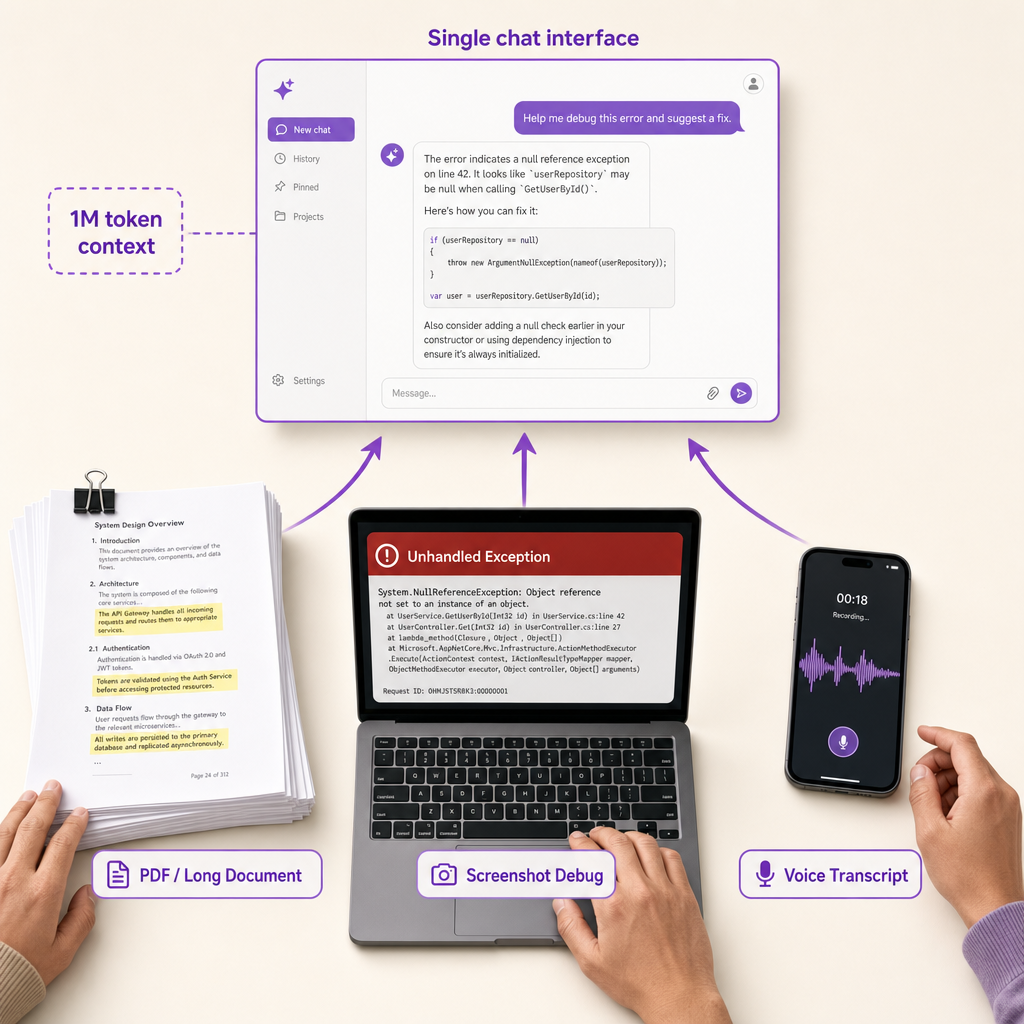
Multimodal prompting is where 2026 assistants pull away from their 2023 ancestors. Hand them a 400-page contract, a screenshot of a broken build, or a rambling voice memo, and they'll actually do something useful with it. The trick is telling them exactly what to do with the input.
PDFs and long documents
Context windows now run from 200K tokens on mid-tier models up past 1M on Gemini 3 Pro and Claude Sonnet 4.6. Translation: you can drop in a textbook, a deposition transcript, or a 10-K and query across the whole thing. Try this:
Read this PDF. List every commitment I made on pages 4-12 with the page number, then flag any that contradict the appendix.
Name the file. Point it at the pages. Ask for page citations so you can verify before you act.
Images and screenshots
Screenshots are the fastest debugging tool you've got. Paste one in:
Here's a screenshot of an error message. What's it telling me, what's the likely cause, and what's the fix?
Same move works for charts, whiteboards, handwritten notes, or a photo of your fridge when you're asking what to cook.
Voice input
Dictating on mobile beats thumb-typing 200 words. The catch: raw transcripts are messy. Add this: Clean up my transcript first, confirm you understood the request, then answer. For audio files, ask for timestamps next to every claim so you can jump back and check the source.
When AI Gets It Wrong: Spotting and Fixing Hallucinations
A hallucination is a confident, fluent answer that's factually wrong or completely made up. The model isn't lying. It's predicting plausible words, and plausible doesn't mean true.
Why hallucinations happen
Models guess. When they don't have a fact, they invent one that sounds right. The numbers are getting better and worse at the same time. Vectara's Hughes Hallucination Evaluation leaderboard showed top summarization models in 2025 dropping under 1% (Gemini 2.0 Flash near 0.7%). But OpenAI's o3 reasoning model hit 33% on PersonQA, roughly double the prior generation. More reasoning, more room to invent.
Specialized fields are worse. A 2024 Stanford study (Dahl et al.) found large language models hallucinated on at least 75% of legal questions about court rulings, inventing cases with realistic-sounding names and citations. If you've ever pasted an AI-generated citation into Google and gotten zero results, that's why.
Three ways to catch a wrong answer
- Ask for sources and click them. Don't trust a link until you open it. Fabricated URLs look real.
- Ask the same question two different ways. Reword it, change the framing, compare. Contradictions surface fast.
- Make the model critique itself. Try: "List three things in your answer that could be wrong or unverifiable." You'll be surprised what it admits.
Rule of thumb: the more specific the fact, the more skeptical you should be. Names, dates, stats, legal citations, and quotes are the highest-risk outputs. Verify those every time.
What You Should Never Ask AI (and What to Do Instead)
Knowing what AI shouldn't answer matters as much as knowing how to ask. The wrong question gets you a confidently wrong answer, sometimes with real stakes.
Hard nos
Live prices, sports scores, breaking news, flight times. Unless your assistant has web access turned on (Perplexity, Copilot, Gemini with search), it's guessing from training data that might be months stale. It'll still sound certain.
Medical, legal, or financial calls as final answers. A 2024 Stanford RegLab study found leading models hallucinated on legal queries 69% to 88% of the time, often inventing case citations that don't exist. Use AI to orient yourself and prep questions for a real professional. Don't let it sign off on your will, your diagnosis, or your portfolio.
Anything you wouldn't paste into a public forum: tax IDs, client records, NDA'd source code, medical details, anything under HIPAA or GDPR. Free tiers often train on your inputs.
Crisis support. AI can listen. It can't assess risk. If someone's in danger, route to 988 (US) or a local line.
Better paths
Treat the model like a sharp intern, not the expert in the room. Ask it to:
- Prep the five questions to bring to your doctor, lawyer, or CPA.
- Summarize a document you already trust, then verify against the original.
- List options and tradeoffs so you decide.
You stay accountable. The intern just speeds you up.
Privacy: What Happens to Your Prompt After You Hit Send
Closing the chat window doesn't mean your prompt vanishes. Where it goes depends on which assistant you're using and which tier you pay for.
Training opt-outs by assistant
Defaults matter more than people realize. Consumer ChatGPT (Free and Plus) may use your conversations to train OpenAI models unless you switch off "Improve the model for everyone" in settings. Team, Business, and Enterprise tiers exclude training by default. Claude doesn't train on consumer chats by default, per Anthropic's privacy policy. Gemini flips it: Google retains conversations and uses them to improve products unless you turn off Gemini Apps Activity in your Google account. Microsoft 365 Copilot keeps tenant data out of training, but free consumer Copilot runs on separate terms you should actually read. Perplexity's consumer tiers follow standard consumer privacy terms; Enterprise adds SOC 2 and retention controls.
What temporary chat actually does
Temporary or incognito chat usually means two things: the conversation won't show up in your history, and it won't feed training. It does not mean instant deletion. Providers typically hold temporary chats for up to 30 days for abuse monitoring.
Quick checklist before you hit send:
- Flip the training toggle off if your tier has one.
- Use temporary chat for one-off sensitive questions.
- Never paste SSNs, full card numbers, passwords, or proprietary code into a consumer tier.
- Use an enterprise plan for client work. Always.
Which AI Should You Ask? A Decision Guide
Stop tab-hopping between five chatbots. Pick the right one for the job and move on.
Decision flow by use case
- You need cited sources for research: Perplexity was built for this. ChatGPT with web search or Gemini work too, but Perplexity puts citations front and center.
- You're analyzing a 200-page contract, a book, or a giant codebase: Claude Sonnet 4.6 or Gemini 3 Pro. Both have the context window headroom to swallow the whole document instead of choking halfway through.
- You want a daily assistant for writing, brainstorming, and random questions: ChatGPT Plus or Claude Pro. Either works. Claude tends to be warmer on writing tasks; ChatGPT has the broader tool ecosystem.
- You live inside Microsoft Office: Copilot. It's wired into Word, Excel, Outlook, and Teams in ways no outside tool can match.
- You're broke and casual: Start with ChatGPT Free (GPT-5.3) or Gemini's free tier. Switch to Perplexity Free the second you need sources.
- You're handling client data or anything confidential: Enterprise tier only, training opt-out on, and never paste secrets, credentials, or unredacted PII. Period.
One more thing. Pick one paid assistant as your daily driver and keep a free account on a second one for sanity checks. That covers about 95% of what you'll actually ask. The other 5% is where you learn which model you really trust.
Frequently asked questions
Sources (7)
- 1.Hallucinating Law: Legal Mistakes with Large Language Models are Pervasive (Stanford HAI, Dahl et al.)hai.stanford.edu
Primary academic source for the 75%+ legal hallucination rate — anchors the 'don't ask AI for legal answers' warning.
- 2.Vectara Hughes Hallucination Evaluation Model (HHEM) Leaderboardgithub.com
Live, peer-reviewable benchmark of summarization hallucination rates across major LLMs; source for the 0.7% Gemini 2.0 Flash figure and model-by-model comparison.
- 3.OpenAI: Introducing o3 and o4-mini (system card with PersonQA / SimpleQA results)openai.com
Primary source on reasoning-model hallucination rates (o3 at 33-51% on PersonQA / SimpleQA), which contradicts the 'newer is always more accurate' assumption.
- 4.OpenAI ChatGPT Pricing Pageopenai.com
Authoritative source for ChatGPT Free / Plus / Pro / Business pricing and GPT-5.5 access tiers.
- 5.Anthropic Pricing — Claude Free, Pro, Maxanthropic.com
Authoritative pricing and tier information for Claude Sonnet 4.6 and Opus 4.7.
- 6.Perplexity Pricing — Free, Pro, Max, Enterpriseperplexity.ai
Authoritative source for Perplexity Pro at $20/month, Max at $200/month, and Sonar API rates.
- 7.Google: Gemini Advanced and Google One AI Premiumblog.google
Source for Gemini Advanced pricing (~$19.99/month) and the relationship between Gemini consumer tiers and Google One.