Key takeaways
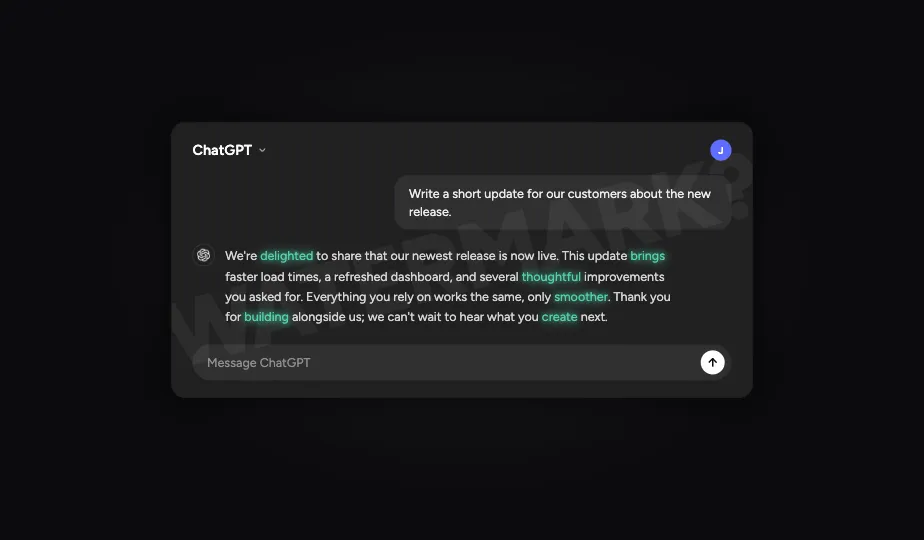
- If you're in the EU, ChatGPT text will carry an invisible watermark within weeks, on every plan. Outside the EU, ChatGPT isn't watermarked by default.
- Nobody can check for it publicly. OpenAI's detector is limited to approved researchers, so clients and platforms still rely on pattern-based AI detectors.
- The watermark lives in ChatGPT's word choices, not hidden characters. In OpenAI's tests, swapping a quarter of the words for synonyms cut detection from about 92% to 17%.
- Watermark or not, the advice is the same: treat ChatGPT output as a first draft, make it sound like you, and add what only you know.
OpenAI announced on October 5 that ChatGPT will start hiding an invisible watermark in the text it writes. If you draft with ChatGPT, it changes less than the headlines suggest.
The watermark only switches on by default in the European Union, it rolls out over the next few weeks, and nobody outside a small group of approved researchers can check for it. OpenAI's own testing also shows the signal weakens quickly once a draft is reworked. If you already treat ChatGPT's output as a first draft and rewrite it before it goes anywhere, keep doing exactly that. If you've been pasting ChatGPT text straight into client emails and reports, this is a good moment to stop.
What the ChatGPT watermark means for you
Is my ChatGPT text watermarked? If you're in the EU, it will be once the rollout reaches your account, on every plan, free or paid. OpenAI hasn't described a way to turn it off. Outside the EU, ChatGPT isn't watermarked by default for now. The exception is apps built on OpenAI's API: since October 5, any developer can switch the watermark on for their users, wherever those users live.
Can a client, employer or platform detect it? Not today. OpenAI is giving its text detector only to approved researchers and expert organizations, case by case, and there is no public checker. What clients and platforms actually run are pattern-based AI detectors, which judge how machine-like the writing reads. You can see how your own text reads to one with our free AI detector.
Is there something hidden in the text I need to clean out? No. OpenAI says the watermark adds no hidden characters, invisible spaces or odd punctuation. It lives in which words ChatGPT picked, so a "watermark cleaner" that strips invisible characters has nothing to strip.
Does rewriting make a difference? By OpenAI's own numbers, a big one. In its tests, swapping just one word in four for a synonym dropped detection on 400-token passages from about 92% to 17%, and its help center says substantial rewriting, paraphrasing or translation "can make detection less reliable."
Does the watermark count as disclosing AI use? No. If you deliver work to clients in the EU, OpenAI says watermarks don't replace visible labels or notices that some uses may require by law, and that your own legal team should judge what applies.
So what should I do? The same thing that made sense before any watermark: use ChatGPT as a starting point and make the final version yours.
- Start from your own thinking. Give ChatGPT your notes, facts and point of view instead of a one-line prompt, so the draft is built on what you actually know.
- Make it sound like you. Rework the vocabulary, sentence rhythm and structure until it reads in your voice. WriteHuman's AI humanizer is designed for this step and ranked #1 overall in the October 2026 cycle of HumanizerBench, the public monthly benchmark we publish. You can try it on our homepage without signing up.
- Add what only you know. Your own examples, numbers and opinions. No tool can supply those, and they are what make a piece yours.
- Check how it reads. Run the final version through our free AI detector to see how it reads to the pattern-based detectors clients and platforms use.
If you write mostly in Gmail, Outlook, LinkedIn, Notion or Slack, the WriteHuman Chrome extension brings the humanizer into the page you're already writing in. The free plan covers three humanizations a month, up to 250 words each, and paid plans start at $20 a month.
What OpenAI announced
- ChatGPT and Codex, EU only. Eligible text from both products gets the watermark over the coming weeks, on all plans. OpenAI says it is "not making text watermarking a global default at launch."
- The API, worldwide. Developers can switch watermarking on for select models in their project or organization settings. It is off by default, and OpenAI is working with the cloud providers that resell its models to offer the same option.
- The detector. Applications are open, but access is limited, at first, to approved researchers and expert organizations. Switching on the API watermark doesn't come with detector access.
The EU AI Act set the timing. Article 50, which requires machine-readable marking of AI-generated content, has applied since August 2, 2026, and systems already on the market have until December 2 to comply. OpenAI says the EU's Code of Practice on AI-generated content, which it backed in June, doesn't require a watermark on outputs under 200 tokens (about 150 words in English) or on code snippets.
It's also a reversal. In 2024, OpenAI said it had built a working text watermark and was holding it back, partly because marking text could "stigmatize use of AI as a useful writing tool for non-native English speakers." Now OpenAI, Google and Anthropic all mark AI-written text in some form. Google has watermarked Gemini's text with SynthID since 2024, and Anthropic began watermarking newer Claude models worldwide in August. OpenAI is the only one of the three making the mark a default in just one region.
How the watermark works, and how reliable it is
OpenAI calls the system textGrain. ChatGPT writes one token (a word or part of one) at a time, choosing among plausible options with some randomness. textGrain lets a secret key steer that randomness, so over a few hundred words the choices line up with the key more often than chance allows, and a detector holding the key can measure it. No single sentence looks unusual, and OpenAI's benchmarks show no meaningful change in quality. The technical report has the math.
OpenAI also published detection rates, something Anthropic still hasn't done for Claude. The length and language figures were measured at a 1% target false positive rate. OpenAI doesn't state the rate used for the synonym test.
| What OpenAI tested | Watermarks detected |
|---|---|
| 400-token answers to psychology questions | About 95% |
| 200-token answers to psychology questions | About 80% |
| Answers to math questions | Substantially lower |
| 400-token passages with 10% of words swapped for synonyms | 66%, down from about 92% |
| 400-token passages with 25% of words swapped for synonyms | 17% |
| Spanish, best of 24 EU languages (separate test, English included) | 69.0% |
| Romanian, weakest of the same 24 languages | 42.2% |
Short text is harder to catch: in OpenAI's psychology test, about one watermarked passage in five went unflagged at 200 tokens. Math, code and precise factual answers carry a weaker mark because the model has fewer word choices to make. The language rows come from a separate test using translated prompts, and OpenAI says it has since raised the watermark's strength for every language that scored below 60%.
False positives are the other risk. A 1% rate sounds small, but OpenAI itself wrote in 2024 that a low rate applied to large volumes of text still produces a large number of false positives in total. That's one reason it is keeping the detector closed to the public at launch.
My take
OpenAI deserves credit for publishing real numbers, including the unflattering ones. Where I'd push back is on what a positive result will be taken to mean.
OpenAI is clear that a detected watermark only shows one of its models likely generated or processed a passage. It can't say how much a person wrote, and it can't tell whether ChatGPT was only polishing text you wrote yourself. Write a client proposal, paste it into ChatGPT to rework the wording, and the result can carry the same kind of mark as a proposal ChatGPT wrote from a one-line prompt. The watermark records who produced the final wording. It has no idea who did the thinking.
That lands hardest on exactly the people OpenAI worried about in 2024. A marketer in Lisbon who writes in English as a second language and has ChatGPT smooth out her drafts can now send clients work carrying a mark that a native speaker drafting alone never will. We made the same argument when Claude's watermark launched, and it holds here too.
My advice hasn't changed. Treat ChatGPT as a first-draft tool, make the final version sound like you, and publish only what you'd be happy to put your name on.
What happens next
- More detail is coming. OpenAI says it will expand the technical report in the coming weeks and plans to release textGrain as open source, without giving a date.
- Coverage will widen on the developer side, to OpenAI models sold through cloud partners and to older API models.
- Detector access stays narrow until, in OpenAI's words, it believes results "can be interpreted responsibly."
We'll update this post as the watermark reaches EU accounts.
Frequently asked questions
Sources (8)
- 1.
- 2.
- 3.OpenAI: textGrain technical report (Oct 5, 2026)cdn.openai.com
- 4.
- 5.
- 6.European Commission: Code of Practice on Transparency of AI-generated Contentdigital-strategy.ec.europa.eu
- 7.Cuatrecasas: Digital Omnibus on AI has been publishedcuatrecasas.com
- 8.Anthropic: How Claude marks AI-generated contentsupport.claude.com