
Key takeaways
- LinkedIn suppresses posts flagged as generic AI content from recommendations instead of removing them, and says early tests caught generic content 94% of the time.
- The "seems like AI slop" report button drew 1 million uses in its first two weeks, and flagged content now gets about 40% fewer views, per LinkedIn's CPO.
- LinkedIn named the formulaic patterns it demotes, including the "it's not X, it's Y" construction, engagement bait, and recycled thought leadership.
- AI-assisted posts are still welcome when they carry original perspective. Generic, templated output is what loses reach.
One million LinkedIn members used the new "seems like AI slop" report button in its first two weeks. LinkedIn's chief product officer, Hari Srinivasan, shared that number in mid August, along with a second figure that matters more if you post for work. Content the platform classifies as slop now gets 40% fewer views than it did just a few weeks earlier.
So the crackdown is real, it is already moving reach, and it is not a ban on AI writing. LinkedIn says AI-assisted posts are still welcome when they carry an original idea or start a real conversation. What loses distribution is the generic layer: engagement bait, recycled thought leadership, and formulaic phrasing the platform has started calling out by name, including the "it's not X, it's Y" construction. If your drafts lean on any of that, your shrinking impressions have a specific cause, and a specific fix.
What LinkedIn actually changed
Earlier this year, LinkedIn announced it would start suppressing generic AI-generated posts from recommendations rather than deleting them. A flagged post stays live and stays visible to your direct connections. It just stops spreading into the wider feed, which is where most reach on LinkedIn comes from. In early tests, the company says its system correctly flagged generic content 94% of the time, per The Next Web's reporting on the announcement, though LinkedIn has not published false-positive numbers.
The targets it named are worth reading closely: outright engagement bait, recycled "thought leadership" with no original point, bot-generated comments, and posts built on obvious AI construction patterns. The scale explains the urgency. Forbes contributor Jodie Cook, writing on August 10, put the share of long-form LinkedIn posts that are fully AI-generated at over 40%. Fortune reported that LinkedIn had blocked billions of automated comment attempts in the months before the report button rolled out. The feed had a supply problem, and readers noticed before the algorithm did.
LinkedIn is even pulling its own "enhance your post" AI writing feature, replacing it with a proofreader that fixes errors without changing your voice. The platform wants your voice in the post, not a model's.
What is the AI slop button on LinkedIn?
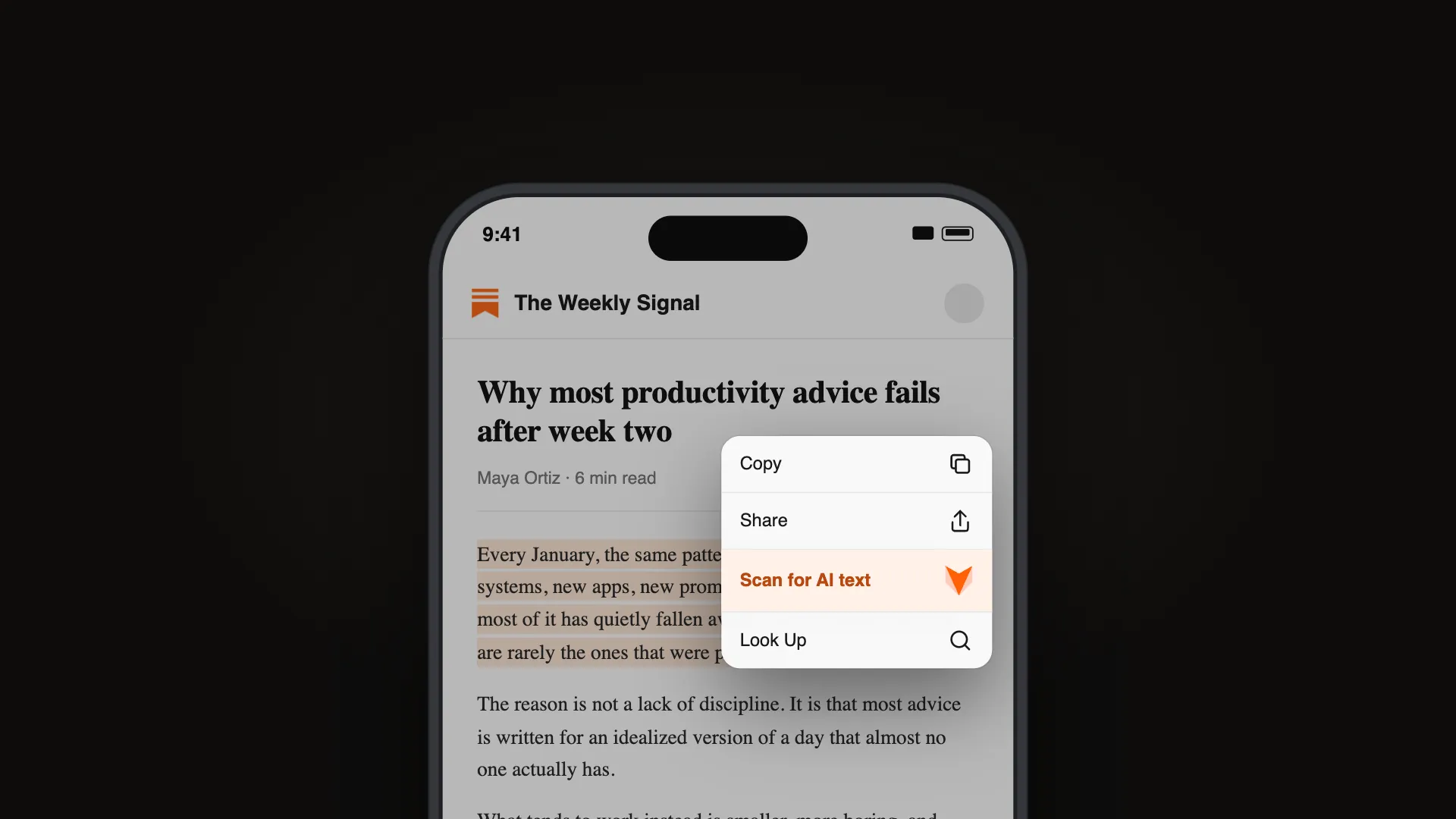
Rolled out at the turn of August 2026, it is a new option in the three-dot menu on any post or comment to report it because it "seems like AI slop." Reports are private. "We are ramping the ability for members to tell us if they believe a post or comment seems like AI slop," Srinivasan said when the test launched.
Two details from Social Media Today's coverage matter for anyone worried about brigading. First, a single report does not demote a post. It mainly shapes what the reporting user sees in their own feed, and it becomes training data that helps LinkedIn tune its models. Distribution decisions rest on many signals, so one annoyed reader cannot tank your post. Second, creators whose posts draw multiple slop reports get notified privately, through a flag in their analytics dashboard. LinkedIn describes the approach as informative rather than punitive, a nudge that your post read as inauthentic, not a strike against your account.
How does LinkedIn detect AI content?
Not with watermarks. LinkedIn's system leans on behavioral signals and stylistic patterns, with models trained to separate posts carrying genuine perspective from ones that read as repetitive, generic, and empty. The million-plus member reports feed that training loop. As Srinivasan put it, "Slop is hard to define and the definition changes; this lets us tune our models and make better feeds." He has also said LinkedIn wants members to get feedback from real humans on what sounds authentic, rather than trusting an AI detector alone to make the call.
LinkedIn is not testing whether a language model touched your draft. It is scoring whether your writing matches the templated patterns everyone now recognizes on sight. Those patterns are learnable, and avoidable. We keep a running list of them in our guide to the AI tells that give writing away in 2026, and most of LinkedIn's named targets are on it.
Does LinkedIn penalize AI content?
Not for the tool you used. The distinction LinkedIn keeps drawing is between AI-assisted writing with something original in it, which stays in recommendations, and generic output that any account could have posted, which gets suppressed. The penalty is silent, too. Nothing gets removed, no policy strike lands, your post simply stops traveling beyond your first-degree network. Plenty of people posting for work will see reach fall and never know why.
If you want the fuller picture of what platforms mean by the term, our explainer on what AI slop actually is covers how the label spread from image spam to text. For LinkedIn's purposes, slop is content with no experience, perspective, or insight behind it, which is exactly how the product team defines what the report button is for.
What to change before your next post
The fix is not abandoning AI drafting. It is closing the gap between what a model produces by default and what a specific person with a specific job would actually say.
Cut the template scaffolding. The named-and-shamed patterns go first: contrast-formula hooks, the one-line-per-paragraph cadence, the tidy inspirational button on the end. If a sentence could sit unchanged in ten thousand other posts, it is a demotion signal.
Open with something only you have. Cook's advice in Forbes points the same direction. Start from the specific moment, the number on the screen, the thing a client said on Tuesday. Concrete detail is the cheapest authenticity signal there is, and models do not invent your Tuesdays.
Check how your draft reads before you post. Run it through a free AI detector first. The score is not LinkedIn's verdict, but it is a fast read on how templated your phrasing looks to a model trained on the same patterns LinkedIn is hunting.
Rewrite, don't regenerate. When a draft scores high, asking the same chatbot to "make it sound human" usually swaps one template for another. A dedicated rewriting pass works differently. WriteHuman's AI humanizer restructures sentence rhythm and word choice so the draft stops reading like default model output, and you can try it free on the homepage, no account needed, with three humanizations a month at 250 words each. Then do the last edit yourself, in your own voice.
Post less, mean more. The accounts getting hit hardest are the ones automating volume. Fewer posts with an actual opinion now beat a daily drip of filler, because the filler no longer leaves your network.
None of this guarantees distribution. LinkedIn weighs many signals, and it is deliberately vague about most of them. But the direction is unambiguous. The largest professional network just told its members it will quietly bury writing that sounds like nobody. It is the first major platform to demote generic AI text this openly, and with a million reports banked in two weeks, it will not be the last.
Frequently asked questions
Sources (5)
- 1.
- 2.LinkedIn says 1M people have reported AI slop (Social Media Today, Aug 20, 2026)socialmediatoday.com
- 3.LinkedIn offers the option to report AI slop (Social Media Today, Aug 2, 2026)socialmediatoday.com
- 4.
- 5.